Making the Most of a Construction Progress Portal for Your Project Team
How to Keep Your Project Team Aligned With a Progress Portal
Large construction projects generate a steady stream of visual information. Site photos, drone captures, 3D models, and 360 panoramas pile up quickly. Without a central place to organize and share these assets, team members end up searching through email threads, thumb drives, and shared folders just to find the latest site image. A construction progress portal solves this problem by putting everything in one accessible location. But simply having a portal isn't enough. The real value comes from how your project team uses it.
This article outlines a practical checklist for project teams that want to get the most out of their progress portal. The goal is to turn a collection of images into a tool that supports better decisions, fewer misunderstandings, and smoother communication with owners and stakeholders.
Define Who Gets Access to What
A portal that everyone can see sounds good in theory, but in practice you need to control access. The general contractor, subcontractors, the owner, and the architect each need different views of the same project. Too much access can overwhelm people with irrelevant updates. Too little access frustrates team members who need to check progress.
Set up shared access levels from the start. Decide which folders or albums the owner can see and which are reserved for the project team. Some portals let you create guest links that expire after a set period. Use these for short-term visitors such as inspectors or consultants. The result is that each person sees the imagery that matters to their role, without noise.
Establish a Consistent Capture Timeline
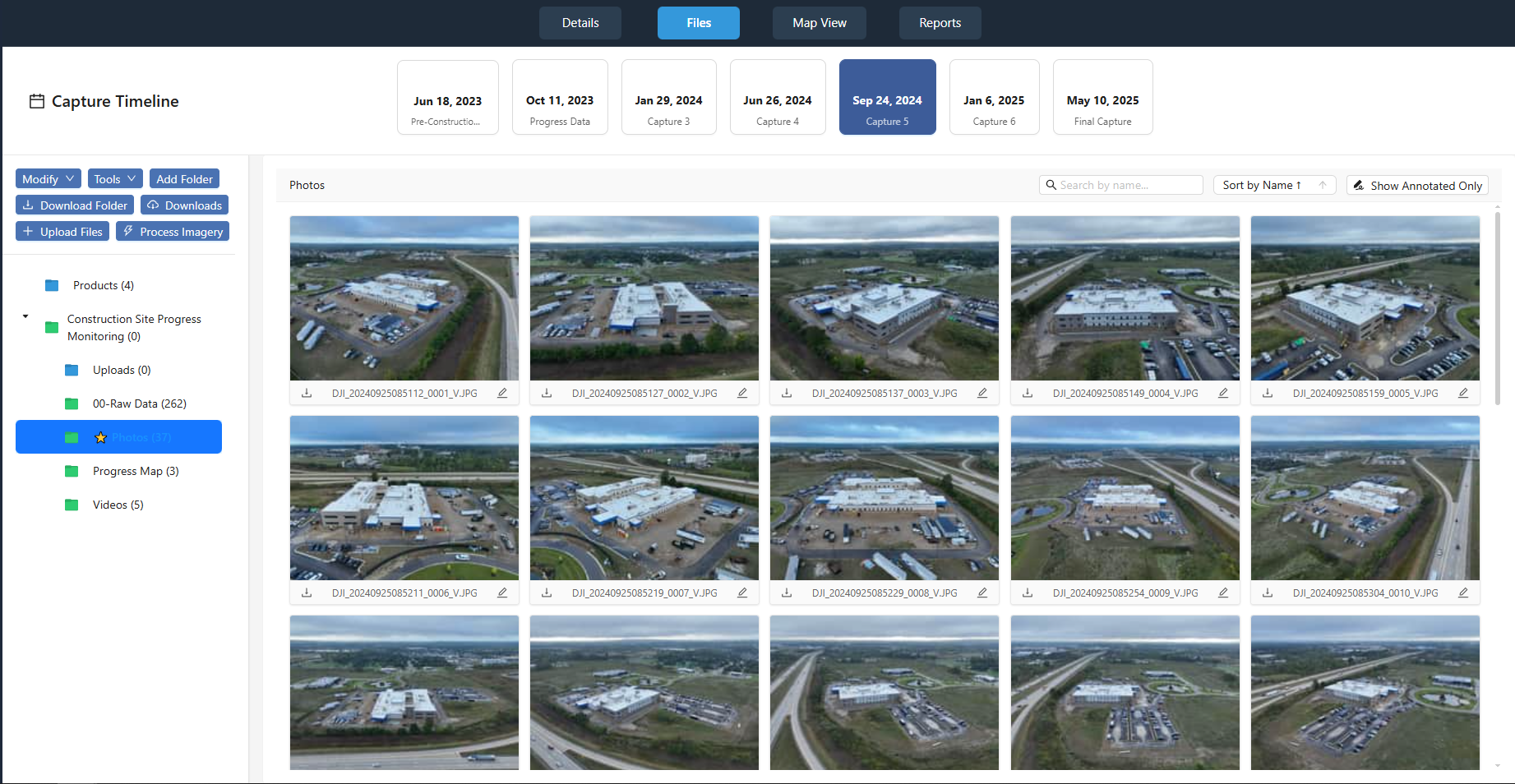
Site imagery is only useful when it is current and predictable. A capture timeline that everyone understands helps the team know when new images will arrive. If the portal updates every Monday morning, the project manager can schedule progress meetings for Tuesday afternoon, giving everyone time to review the latest shots.
Work with your drone service provider to set a regular schedule. For a fast-moving project, weekly captures might be appropriate. For slower phases, biweekly or monthly may suffice. The key is consistency. When the team knows the schedule, they rely on the portal as a source of truth rather than a random collection of old images.
Use Marked-Up Images to Highlight Issues
A raw site photo shows what happened, but a marked-up image explains why it matters. Encourage the team to add annotations directly on the images within the portal. Draw a circle around a cracked foundation wall. Add an arrow to a beam that is out of alignment. Write a short note explaining the concern.
This practice turns a simple photo into a site observation that can drive action. The project engineer can see exactly where the problem is without walking the site. The superintendent can assign a crew to fix it based on the marked-up image. Over time, the portal becomes a record of decisions and corrections, not just a gallery of pictures.
Organize Imagery for Owner Updates
Owners typically do not visit the site weekly, but they still need to see progress. A well-organized portal makes owner updates much easier. Instead of sending a long email with attached photos, the project manager can share a direct link to a folder or album that contains the latest captures.
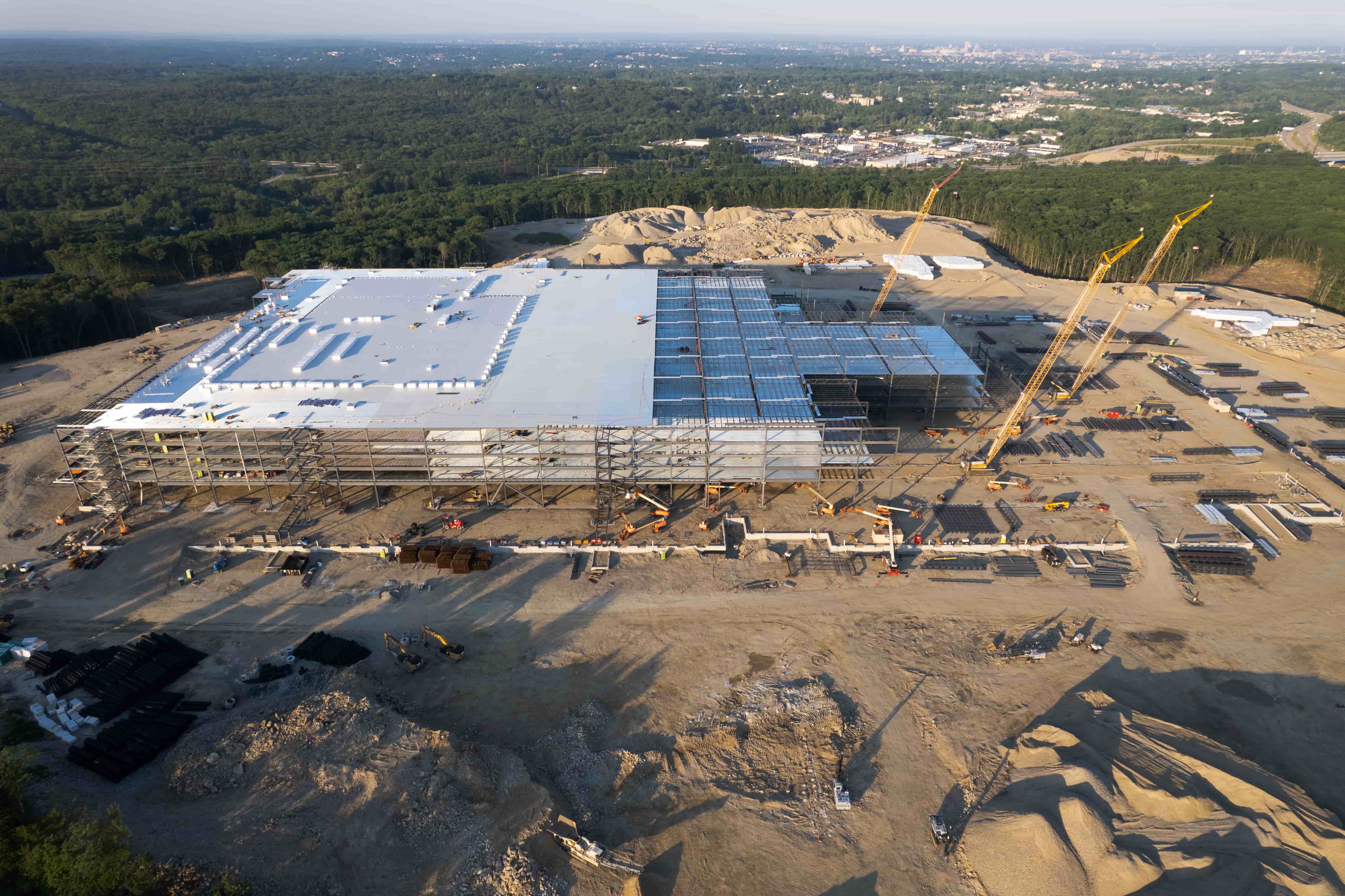
Create a dedicated folder for owner updates. Include a mix of wide aerial shots that show overall site progress and close-ups of key milestones such as foundation completion or roof installation. Add 360 panoramas when the owner wants to see interior spaces remotely. This approach keeps the owner informed without overwhelming them with every single image the team captures.
National Drone Services provides coordinated construction progress drone captures with aerial maps, 3D models, site imagery, and 360 panoramas organized in a project portal. That kind of structure gives project teams a solid foundation for sharing visual information effectively.
Integrate Portal Access Into Progress Meetings
A progress meeting is the perfect place to use the portal actively. Instead of describing what the images show, pull them up on a screen and walk through the latest captures together. This practice keeps everyone on the same page and reduces misunderstandings that can arise from verbal descriptions alone.
Assign someone to navigate the portal during the meeting. That person can be the superintendent or a project engineer who knows the site well. As the group discusses each area, the navigator zooms in on relevant details. If a question comes up about a specific location, the team can check the capture timeline to see when the last image was taken and compare it to earlier shots.
This habit also creates accountability. When everyone sees the same image at the same time, it is harder for someone to claim they did not know about an issue. The portal becomes a shared reference that supports honest conversations about progress and problems.
Archive and Tag Images for Future Reference
Once the project moves past a phase, the images from that phase still have value. They can help resolve disputes about when work was completed, support warranty claims, or serve as a record for future projects. A good portal makes it easy to find old images by tagging them with relevant keywords.
Agree on a tagging system with your team. Common tags include the project phase (foundation, framing, roofing), the trade involved (electrical, plumbing, concrete), and the date range. Some portals allow you to add custom fields for things like the capture location or the drone pilot's name. The more consistent the tagging, the easier it is to pull up exactly what you need months later.
Check Image Quality Before Sharing
Not all site imagery is shareable. Blurry photos, bad lighting, or shots taken from the wrong angle can confuse rather than clarify. Before you share a batch of images with the owner or the full project team, take a few minutes to review quality.
Look for images that are in focus, properly exposed, and show the intended subject clearly. Crop out irrelevant edges. If the image includes people, consider whether their faces need to be blurred for privacy. A quick quality check prevents the team from wasting time on unusable images and maintains trust in the portal as a reliable source of visual information.
National Drone Services structures its deliverables so that project teams receive clean, organized imagery ready for review. That attention to detail makes it easier to maintain a high standard of shareable site imagery throughout the project lifecycle.
Set Expectations for Response Time
When someone adds a marked-up image or a comment to the portal, other team members need to know when they can expect a response. If the superintendent posts a question about a structural detail and the engineer takes two weeks to reply, the portal loses its value as a communication tool.
Establish a simple rule: respond to portal comments within 24 hours during the work week. If a response requires more time, post a quick note saying you have seen the comment and will follow up by a specific date. This keeps the conversation moving and prevents bottlenecks.
For urgent issues, use a separate communication channel such as a phone call or text message, and then update the portal with the resolution. That way, the portal remains the official record even when fast action is needed.
Review the Portal's Effectiveness Periodically
A portal is a tool, and like any tool, it needs occasional tuning. Schedule a brief review every few months to ask the team how the portal is working. Are people finding the images they need? Is the capture timeline still appropriate? Are there too many access levels or too few?
Make small adjustments based on the feedback. Maybe the owner wants more frequent updates, or the field crew needs fewer emails and more direct portal notifications. The goal is to keep the portal serving the team rather than becoming just another folder to check.
Over time, a well-managed progress portal becomes the central hub for visual communication on the job site. It supports better coordination, faster problem resolution, and clearer reporting to owners and stakeholders. The checklist above gives your project team a practical starting point for making that happen.
Ends · RISINGSTRUCTURES